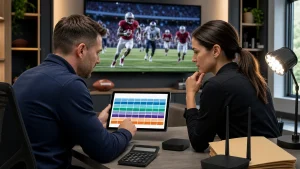
When you’re watching a live game, the last thing you want is for your screen to freeze just before the winning goal or final play. No one likes missing the best parts because the feed breaks up or buffers. Even the best IPTV for sports can freeze sometimes, especially when everything happens at once, like high traffic, device issues, or slow connections. Sports streaming depends on fast timing, and when something falls out of sync, the results can get frustrating pretty quickly.
We’ve seen freezes pop up during playoff weekends, rivalry matches, or popular Friday night lineups with packed watch parties. The good news is, most freezing problems have clear signs and practical fixes. Knowing what’s going wrong gives us a better shot at actually fixing it before kickoff.
Why Sports Streams Freeze More Often Than Other Content
Sports streams run on a tighter clock than most other TV content. Every second counts. Between the sudden crowd surges logging on and extra strain from live updates, it’s not surprising things grind to a halt more often.
- Live sports rely on lower-latency delivery that keeps everything as close to real time as possible. That leaves less room for delays or heavy caching, which regular shows can tolerate.
- Peak-match traffic spikes happen fast and can crush streaming systems if there’s not enough load capacity or server balance in place.
- Some sports feeds change ownership or streaming rights quickly, making the source itself unstable. That means you could be watching a stream that just switched hands or was restricted between matches.
So when everything hits at a high-pressure moment, even a normally solid feed can start freezing or dropping resolution.
Hidden Tech Problems That Cause Freezing During Games
Sometimes, the problem isn’t with the feed or traffic at all. It’s the stuff right in our homes causing delays and freezes.
- If your streaming app hasn’t been updated, it may not keep up with fast-changing stream protocols used during live sports. That mismatch leads to glitches when things load too slowly.
- Many of the set-top boxes and smart TVs we use now run multiple background tasks. When memory fills up, your stream gets less attention. That’s when freezing starts to creep in.
- Some people don’t know their settings are tuned for maximum resolution on a connection that can’t handle it. That mismatch forces your feed to stop and catch up constantly.
It’s worth taking a look at your device before assuming the provider is always the issue. A quick restart or performance check can help prevent long delays during game time.
Internet Trouble You Might Not See Right Away
Even fast internet can cause problems if something along the way breaks down. Your stream depends on more than just raw speed.
- We’ve seen how someone in the house opening multiple apps, checking social media, or video chatting eats bandwidth during a big game. Suddenly, your screen skips, not because your network is too slow overall, but because it’s busy elsewhere.
- Wi-Fi strength doesn’t always match what your browser speed test says. If your box or TV is far from your router, that weaker signal may drop packets without warning.
- The difference between download speed and stream stability matters. A good download test result doesn’t help if the connection isn’t steady second by second.
Sports streaming benefits from low jitter, tight delivery, and minimal dropouts. All of that depends on how your hardware uses the internet, not just how fast it is.
Night Game Surges and Weekend Watch Parties: Timing Matters
Let’s talk about crowd behavior. Freezing happens most often at times when everyone’s watching the same thing.
- Friday nights or weekend evenings bring massive traffic to popular live events. That overload hits hard across streaming platforms, especially when a game is nationally followed.
- Big matches like championships create sudden demand spikes. Systems that normally run smoothly may start to lag if there’s no backup path or traffic reroute.
- Smarter providers plan for this by adding bandwidth or duplicating streams so their systems don’t overload. But if demand goes beyond what was expected that week, freezes can still happen.
Our best advice is to be aware of popular match dates. Things are more likely to pause when the entire country’s watching the same screen at once.
Ways to Prevent Sports Stream Freezes Before the Game Starts
A few simple moves before the pregame show begins can make a huge difference in how well your stream plays.
- Restart your device and apps before hopping into a big-time event. It clears old memory use and closes background sessions.
- Make sure your internet signal is solid. If you’re using Wi-Fi, consider moving closer to the router or connecting with Ethernet for better reliability.
- Turn off high-resolution settings unless your connection can handle it. Full HD is great, but not if it stops every few seconds just to catch up.
These changes don’t require any tech skills. They just give your system the best chance to play the full game without endless buffering screens.
Why Stable IPTV Streaming Makes Watching Sports More Fun
We offer anti-freeze technology and instant channel switching so you can enjoy live sports without lag during high-pressure moments. Our service includes thousands of channels in Full HD, making it easier to catch every highlight and keep up with the action on any device you choose. With fast and stable streaming, you spend less time waiting and more time in the game.
Freezing ruins the fun. Live sports are meant to be exciting, unpredictable, and full of fast moments. Those moments disappear when the picture locks up or skips every other play. A stable stream makes it easier to stay in the moment and actually enjoy what’s happening on the field.
We’ve learned that a lot of sports stream freezing isn’t random. It usually has a cause we can trace, something technical or timing-related. Live feeds behave differently from other streaming types. When they freeze, it feels more annoying because we know what we’ve missed. But with the right preparation, setup, and awareness of how live games push the limits, streaming sports can feel as smooth as the rest of your favorite shows.
Eliminate the frustration of frozen streams with Edge TV Store’s best IPTV for sports. Our anti-freeze technology ensures you stay connected and in the action, even during high-pressure moments. Experience seamless sports streaming and see why so many fans trust us to keep their games smooth and lag-free. Get ready to elevate your sports viewing experience today.