Win the Multi-Sport Battle Without Fighting Over the TV
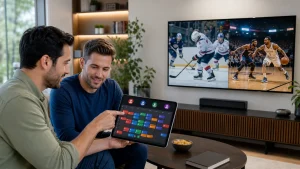
A multi-sport home in the middle of fall can feel like a sports bar squeezed into a living room. NFL in the afternoon, NBA and NHL at night, college football all weekend, soccer from early morning to late afternoon, plus playoffs and tournaments on top of it all. Everyone wants a different game, on a different screen, at the same time. That is where things usually fall apart.
Traditional cable or single-league apps often hit a wall. You run into channel blackouts, device limits, or you find out the one league you care about is on some other app. The result is a mess of logins and people arguing over who gets the main TV.
An IPTV service can pull all of that into one place. Think of it as a scorecard for your home. You compare league coverage, concurrent streams, user profiles, DVR or replay tools, and EPG quality, then pick the setup that fits your family before kickoff. At Edge TV Store, we build our IPTV service with that multi-sport chaos in mind, with thousands of live channels plus movies and shows on a wide range of devices, so everyone has something to watch when games start flying.
Check League and Tournament Coverage Before the Season Starts
By early November, sports fans are spinning plates. NFL is in the thick of the season, NBA and NHL have just tipped off, soccer leagues are in full swing, and college football is staring down rivalry games and bowl talk. If you wait until that moment to figure out coverage, you are already behind.
Start with a simple league audit. With any IPTV service, you want to know:
- Which major leagues are included live
- Which events sit in special sports or pay-per-view areas
- Which tournaments have dedicated channels or feeds
- Whether off-season content is still easy to find
For a multi-sport home, that usually means checking for things like NFL, NBA, NHL, MLS, Premier League, La Liga, Champions League, NCAA sports, combat sports, and motorsports. Some may be in regular sports sections, others might live in special event areas, so it pays to look carefully.
Next, build a household sports map. Grab a notepad or a shared doc and write down:
- Each person’s must-watch leagues
- Favorite teams and recurring matchups
- Big tournaments nobody wants to miss
- Secondary sports that are “nice to have”
Then match that list to the IPTV service’s channel layout and sports sections. This is especially important if your home includes international fans or expats. In those cases, you want to:
- Feeds in time zones that make sense for your schedule
- Regional sports networks that carry hometown games
- Foreign-language commentary so people can follow in their own language
When coverage lines up with your sports map before the season heats up, you avoid a lot of last-minute scrambling.
Score Concurrent Streams and Profiles Like a Pro GM
In a busy home, concurrent streams are non-negotiable. One game might be on the main TV, another on a tablet, someone else is watching a movie, and another person is catching a show on their phone. If your IPTV service chokes after one or two streams, game day turns into an argument.
When we compare IPTV services for multi-sport homes, we look at:
- Maximum simultaneous connections allowed
- Whether streams work both at home and on the road
- Any device-type limits, like TV vs mobile
- “Fair usage” rules that might throttle or block extra streams
User profiles matter almost as much as stream counts. Separate profiles let you:
- Save favorites for each fan
- Lock adult content behind PINs
- Keep kid-safe sections easy to reach
- Build personalized sports channel lists to cut grid clutter
As a quick rule of thumb:
- A 2-person home should look for at least 2 solid concurrent streams
- A 4-person home is better off with 3 or 4 streams
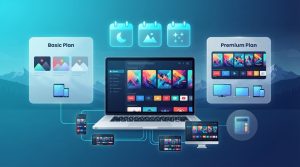
- Larger or extended families may want more flexibility, sometimes by using reseller-style packages that support multiple accounts inside the same overall setup
At Edge TV Store, we see multi-sport homes treat their IPTV account like a roster. Streams and profiles are spots on the team. When you plan those spots before game day, everybody gets playing time.
DVR, Replay, and Time-Shift Tools for Busy Sports Fans
Real life does not pause for kickoff. You might have early morning soccer during weekend errands, late West Coast games on school nights, or overlapping playoff games right during dinner. If your IPTV service only works for live viewing, you are going to miss a lot.
Key DVR-style and replay features to compare include:
- Cloud recording options, if available with your apps
- Catch-up TV or replay windows for past programs
- Ability to pause and rewind live events
- On-demand replays for big games and shows
We like to use a simple time-shift checklist when looking at an IPTV setup:
- How many days of catch-up do we actually need?
- Can we record or replay multiple events at once?
- Are there storage caps inside the apps we are using?
- Do replays include pregame and postgame coverage, or just the main event?
With the right mix, you can follow full seasons without changing your whole life around sports. You record rivalry games, tag key matchups to watch together later, and keep late kickoffs waiting for a calmer evening.
Why EPG Quality Makes or Breaks Game Day
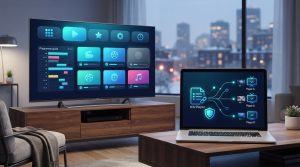
The Electronic Program Guide, or EPG, is the part of your IPTV service you touch the most, even if you do not think about it. During the packed fall schedule, when games overlap and times shift, a weak guide can cost you entire quarters.
A strong EPG usually has:
- Accurate start and end times
- Clear, consistent channel names and numbers
- Sport or league categories for fast browsing
- Logos, league tags, and rich info like teams and language
We like to “stress-test” the guide before a big weekend by trying to:
- Find several live games in under a minute
- Filter or scroll by sport, league, or competition
- Check how it handles daylight saving changes
- See what happens when a game goes to overtime
Speed and usability matter too. The guide should load quickly, search should be responsive, and it should work well on smart TVs and mobile apps. When the EPG is clean and clear, everyone in the house can find their game without asking the most tech-savvy person to rescue them.
Build Your Household IPTV Game Plan Before Kickoff
A multi-sport household needs more than just “a lot of channels.” It needs a plan. The five pillars of that plan are your scorecard: league and tournament coverage, concurrent streams, user profiles, DVR and replay tools, and EPG quality.
A simple way to prepare is:
- List your household priorities and viewing habits
- Map out must-have leagues, teams, and tournaments
- Count how many streams you need on a busy night
- Decide what replay and time-shift tools are non-negotiable
- Test-drive an IPTV service against that scorecard before a big sports weekend
That way, when late-season drama hits with playoffs, bowl games, holiday tournaments, and winter showdowns, nobody has to miss the big moments because a service falls short. At Edge TV Store, we design our IPTV service, subscriptions, and reseller options to support many sports fans, many devices, and many viewing styles under one flexible setup, so your home feels like the right kind of sports bar, without the fights over the remote.
Upgrade Your Streaming Experience With Reliable IPTV Today
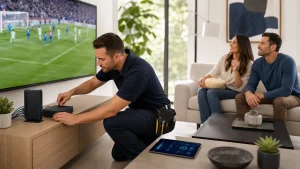
If you are ready to leave buffering and channel limits behind, our IPTV service makes it simple to switch. At Edge TV Store, we help you set up fast so you can start watching your favorite channels without hassle. Explore your viewing options now, and if you have questions about the best setup for your home, just contact us.