Turn Any Small Apartment Into a Sports Hub
A small apartment can still be the best place to watch live sports if the setup is smart. The goal is simple: get every game you care about without bulky gear or wires taking over your living room.
IPTV makes that possible. Instead of cable boxes and long contracts, you stream live TV over the internet on devices you already own. With a feature-rich IPTV service that packs thousands of channels plus on-demand sports content, even a studio can feel like a mini sports bar.
We are going to walk through how to build the best sports IPTV setup for a tight space. We will talk about devices, layout, internet, and app tricks so your next game day feels smooth, fun, and clutter-free.
Why IPTV Beats Cable for Small-Space Sports Fans
Traditional cable can be a headache in a small place. Boxes, wires, wall holes, and equipment that never quite fits the layout all get in the way of a cozy home.
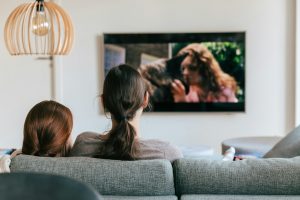
IPTV keeps things simple. You just stream over the internet, so you only need a streaming device and a TV or screen. That alone clears up a lot of space and lets you move furniture the way you want.
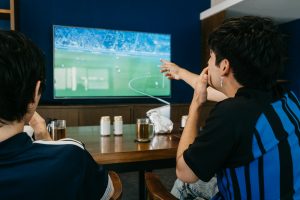
With the best sports IPTV setup, you can enjoy busy fall sports days without missing a moment. One subscription can pull in live channels carrying:
- Pro and college football
- Baseball races and playoffs
- Soccer leagues across different regions
- Hockey and basketball preseason and early action
You can also watch on multiple devices. That means the big game on the TV, another match on a tablet, and maybe highlights on a phone in the kitchen. If you travel a lot or split time between places, IPTV keeps your sports with you so you are not tied to a single wall outlet.
Some fans even like to share access inside the same building. With reseller options from providers like ours, people can set up friends in nearby units while still keeping their own apartment hardware small and simple.
Choosing the Best Sports IPTV Devices for Tight Spaces
When space is tight, every device needs to earn its spot. The good news is, most modern streaming gear is tiny.
Common choices include:
- Android TV boxes, compact, strong performance and great app support
- Fire TV Stick-style devices, plug into the HDMI port and hide behind the TV
- Smart TVs, apps built in, so no extra box in your TV stand
- Tablets and phones, perfect as second screens for stats or a side game
For most small apartments, one main TV is still the star. We suggest:
- One main screen for your top game
- One extra device, like a tablet or laptop, for fantasy apps, live stats, or another matchup
When you pick your hardware, focus on:
- Strong Wi-Fi performance, so streams do not stutter
- Enough HDMI ports if you also have a console or Blu-ray player
- A remote that feels quick and easy to use during channel flips
- Compatibility with the IPTV apps that our service supports
A simple hardware checklist for the best sports IPTV experience looks like this:
- One main streaming device or smart TV app
- A reliable HDMI cable
- A small Bluetooth or compact wired soundbar
- Optional headset for late-night games when neighbors are asleep
Optimizing Internet and Layout for Lag-Free Game Days
Even the best sports IPTV service needs solid internet. For smooth games, you want enough speed for HD and, if you plan to watch in 4K, you need more headroom. If others in your apartment are gaming or streaming at the same time, give yourself a buffer.
To keep your Wi-Fi happy in a small unit:
- Place the router in a central, open spot, not hidden in a closet
- Use the 5 GHz band when possible for cleaner, faster connections
- Keep the router off the floor and away from big metal objects
Apartment buildings can be full of Wi-Fi signals that fight each other. If your router has options, try a less crowded channel and see if streams feel smoother.
Layout also matters for comfort. A few small tweaks help a lot:
- Mount the TV on the wall to free up floor and shelf space
- Angle the screen to cut glare from windows, especially on bright fall afternoons
- Arrange seats so nobody must twist their neck to see the screen
Right before kickoff, run a quick tech checklist:
- Open your IPTV app and test a couple of live sports channels
- Reboot the router if streams feel slow or choppy
- Close downloads, cloud backups, or extra devices that eat bandwidth
Crafting the Ultimate Game Day Experience in a Small Space
Once the basics are set, it is time to think about how game day actually feels. Good audio can make a small apartment sound like a stadium, without waking the whole building.
A compact soundbar or a pair of small speakers often beats the TV’s built-in sound. Many have different modes so you can pick one that makes commentary clear, or one that boosts crowd noise when you want that big arena feel. For late games, a headset is perfect so you can cheer quietly.
To keep a small space from turning into a mess:
- Use foldable chairs you can stash in a closet between games
- Put snacks and remotes on a rolling cart or small side table
- Try simple smart bulbs or lamps, a bright mode for pregame shows and a warm mode for night kickoffs
With the best sports IPTV, you are not stuck on one channel. On busy Saturdays and Sundays, you can:
- Flip between games during timeouts
- Run a second game on a tablet for red-zone style action
- Use a phone for quick score checks and fantasy updates without blocking the main view
It also helps to create light “zones” in the same room. You might have a watch zone around the TV with clear sightlines, a snack zone off to the side so people are not passing in front of the screen, and a small charging corner to keep cords and phones off the couch.
Setup Walkthrough with Edge TV Store for Stress-Free Kickoff
To make game day smooth, we like a simple step-by-step plan. First, pick a plan that fits how you watch and how many devices you want to use. Then request a free trial so you can see how our IPTV service runs on your main streaming device or smart TV.
Once your trial is active, follow our setup guides for your equipment. Common steps include:
- Installing the recommended IPTV app on your smart TV, Android box, or streaming stick
- Entering the login or playlist details we provide
- Testing a mix of sports channels, both live and on demand
If you use phones or tablets as second screens, set those up next. That way you can move around the apartment on game day and keep the action with you.
Inside the app, spend a few minutes organizing your favorites. Create a sports folder with your main football channels, soccer leagues, and any specialty networks you use for pregame shows. When kickoff hits, you can jump right into the action instead of scrolling long lists.
If you ever need help, our support team can guide you through steps like refreshing channel lists, switching devices, or getting set when you move to a new apartment and change internet setups. With a little planning, your small place becomes game-day ready long before the first whistle.
Experience Live Sports Like Never Before With Reliable IPTV
If you are ready to upgrade your game-day viewing, our best sports IPTV package delivers smooth streams and a huge range of channels. At Edge TV Store, we focus on giving you consistent performance so you can enjoy every play without interruptions. Choose the subscription that fits your needs and start streaming in just a few minutes. If you have any questions before you get started, simply contact us and we will help you pick the right option.