Turn Winter Sports Chaos Into One Smart Schedule
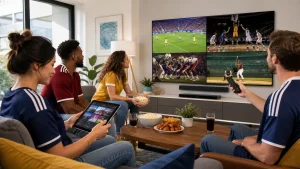
Winter sports can turn a quiet weeknight into pure chaos. NHL, NBA, and UFC are stacking big events, and MLB talk is already heating up with trades and rumours. In one home, that can mean four people, three screens, and one remote, all fighting for the same night.
We want to show a simple way to calm the mess: build one clear, shared sports calendar and match it with the best IPTV subscription you can get. With a smart schedule, blackout-aware planning, and good device rules, everyone in the house can catch what they care about most without flipping through channels for half the night.
At Edge TV Store, we see this every winter. Our IPTV service has thousands of live channels, international sports feeds, and on-demand replays, which makes a true multi-sport season planner possible, instead of jumping between random apps that never seem to agree.
Mapping Every League to a Master Sports Calendar
Winter overlap is where things get wild. Hockey and basketball are going full speed, while UFC stacks fight nights, and baseball fans keep one eye on hot stove news and early spring talk.
Here is how that usually lines up:
- NHL and NBA play almost every night, with big rivalry games on weekends and holidays
- UFC cards often land on Saturdays, with prelims starting earlier and main cards running late
- MLB fans track signings, trades, and early training buzz through sports news channels
- Special days, like All-Star events and trade deadlines, pop up in the middle of it all
Instead of reacting every day, build a core calendar once, then adjust:
- Add recurring blocks like Hockey Night in Canada, NBA Thursday doubleheaders, and UFC Saturdays
- Mark key windows for each league, like playoff runs and All-Star breaks
- Drop in reminders for trade deadlines and big promotional events
- Create simple tags like “must-watch live,” “watch if free,” and “on replay”
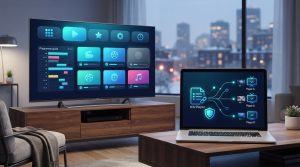
A strong IPTV setup helps this work in real life. With a central program guide, we can scroll one grid to see NHL, NBA, UFC, and MLB coverage across countries. Regional and international sports channels give alternate start times and extra feeds, which really helps when national networks stack games on the same night.
Blackout Workarounds and Regional Rights Strategies
Blackouts confuse a lot of people. A game is on the schedule, but when you click the channel, you get a blackout screen. What happened?
Here is what is going on under the hood:
- Leagues split rights between local, regional, and national partners
- If you live in a team’s “home area,” local or regional channels may have priority
- National broadcasts can be blocked where local rights apply
- During busy winter weeks, overlap makes this pop up more often
Instead of hunting for shady, low-quality streams, plan smarter with the channels you already have access to. With a broad IPTV lineup, you can often:
- Switch to another regional feed that is not blacked out in your area
- Use out-of-market channels that carry the same game at the same time
- Catch time-shifted broadcasts from different regions when they air later
- Rely on on-demand replays when every live path is blocked
At Edge TV Store, we do not see IPTV as a loophole. It is a tool to give more choice, with lots of legal, live sports channels from different countries plus replay options. Blackouts still exist, but when we plan with them in mind and use the variety of feeds, the sting is much smaller.
Optimizing Devices and Locations for Household Harmony
A smart schedule means nothing if everyone still fights over the same screen. That is where device zoning comes in. We match the right event to the right TV, stick, or tablet.
You can set simple rules like:
- Main living room TV gets the top event of the night, like UFC main card or a big NHL or NBA matchup
- Secondary TV gets the next priority game
- Tablets, phones, or laptops are for personal follow-alongs, stats, or a second game
- Headphones are a must for late-night viewing so others can sleep
Profiles help too. Many apps and devices let you save favourites and filters. Use that to set:
- A hockey-first profile with favourite teams, channels, and common time slots
- A basketball profile focused on marquee nights and specific teams
- A shared “fight night” setup with UFC and related shows pinned to the top
Location matters, especially with Canadian winters keeping us indoors more. Think about how rooms get used:
- Basement or media room for late West Coast NHL or NBA games that run past bedtime
- Bedroom TV for early East Coast starts when someone wants to chill alone
- A small TV or tablet in the kitchen for daytime MLB talk shows and highlight loops
When every device has a clear role, the schedule becomes a lot easier to follow, and small fights about “who gets the big TV” fade away.
Weekly Sync Rituals for Families and Roommates
The real magic comes from a short, weekly check-in. It does not need to be formal. Just a quick “sports summit” once a week, often on Sunday.
Here is a simple flow that works well:
- Open the program guide and scroll through the next 7 days
- Note key NHL, NBA, UFC, and MLB-related shows or events
- Mark must-watch games on a shared digital calendar or whiteboard
- Decide who gets which screen on loaded nights
To keep things fair, agree on a conflict system:
- Must-watch live: playoffs, rivalry nights, title fights
- Nice-to-have live: regular season games with some meaning
- OK on replay: games where you mostly want highlights or storylines
Then map those to devices:
- Must-watch live goes to the best TV and sound setup
- Nice-to-have live lands on the second TV or a tablet
- OK on replay moves to on-demand, condensed replays, or next-day highlight shows
With a solid IPTV service, we can lean on:
- On-demand libraries for full-game replays
- Catch-up features when we miss the live start
- Curated highlight and post-game shows that fit into gaps in the week
This way, we do not stress when two big games overlap. One person watches live, the other queues the replay and stays off social media until they catch up.
Put Your Multi-Sport Season Planner Into Play Now
When we put it all together, the system is pretty simple. We create one master sports calendar that covers NHL, NBA, UFC, and MLB talk. We plan around blackouts with smart channel choices and replays. Then we match events to specific devices and rooms so everyone in the home knows where their game lives.
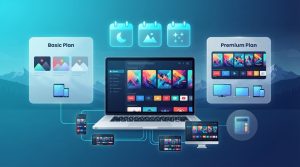
A best IPTV subscription makes this possible, because it puts thousands of live channels, international sports options, and on-demand content into one place instead of scattering them across random apps. At Edge TV Store, we built our service so households can follow busy winter seasons without losing their minds, or their remote.
Transform Your TV Experience With Reliable Streaming
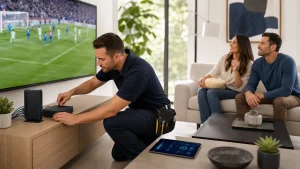
Discover how easy it is to enjoy crystal-clear channels, fast switching, and dependable service with Edge TV Store. Explore our best IPTV subscription to find a setup that fits your home and viewing habits. If you have questions about devices, installation, or which package suits you best, just contact us and we will help you get started quickly.