When you’re watching a big match on IPTV beIN Sport and the stream suddenly lags or the picture looks fuzzy, it can be frustrating. What’s even more confusing is when that same game plays just fine on a different device. We hear this a lot, and the truth is, streams don’t always perform the same way across phones, smart TVs, or laptops.
Each device handles video differently. Some are built for speed, others for display. These differences directly affect how smooth, clear, or delayed your stream ends up being. Spring is around the corner, and it’s the perfect time for people to switch between indoor and outdoor devices. Whether you’re streaming from the patio or from the living room, it helps to know what makes one screen run better than another.
Understanding Streaming Basics on Different Devices
We tend to think all screens should work the same, but they don’t. Every time you open IPTV beIN Sport, that live content has to pass through your device’s unique setup.
- Smart TVs often have stronger processors for video, which helps smooth out longer streams
- Phones and tablets focus more on portability, so they adjust playback quickly based on battery and signal
- Laptops usually fall in between, depending on how up-to-date the software is and whether it’s plugged in or not
A newer smart TV might handle 1080p full streams with no issue, while your older phone might choke on anything over 480p. Devices that haven’t had recent software updates may start acting up too, especially if the streaming app has changed its version. All this plays a part in how steady or laggy your stream ends up looking.
The Role of Apps and Operating Systems
Streaming apps such as those used to access IPTV beIN Sport aren’t identical across platforms. Updates for Android don’t always roll out at the same speed as iOS, and that affects how the stream functions.
- Mobile apps might offer simpler interfaces that cut down buffering but remove some quality controls
- Streaming boxes like Fire Stick or Apple TV may use more advanced settings for smoother frame handling
- Desktop apps or browser-based players sometimes struggle with syncing unless settings are optimized manually
Another layer people forget is the operating system itself. A phone running an old OS version may freeze not because of the stream but because the app cannot use newer features that improve stability. If you’re switching between devices and only one seems glitchy, check whether its app version or system update is behind. That fix alone can make a big difference.
Internet Connection Differences by Device
Even if your internet is fast, each device connects to it in its own way. That’s where things start to vary.
- A smart TV wired directly with an Ethernet cable will nearly always stream more smoothly than a wireless tablet
- Phones often switch between home Wi-Fi and mobile data, especially when the signal weakens
- The further you get from the router, the more likely your connection drops or buffers mid-game
It’s easy to forget that your phone downloading emails and your tablet pulling in another show all work off the same signal. If your stream starts buffering right around the time someone else jumps on YouTube or joins a video call, then the problem might not be the IPTV content itself. Streaming is a balancing act between connection strength and how much signal each screen gets.
How Screen Size and Playback Resolution Play a Part
Not all devices display video the same way, and that matters when you’re watching motion-heavy sports like soccer or racing.
- Big screens try to show in full detail, which uses more data and requires a stronger connection
- Phones and smaller tablets often shift to lower resolutions automatically to save power and data
- Devices built for 4K or HD need consistent bandwidth or they’ll start stuttering mid-play
Some people notice their streams are slower or fuzzier on smart TVs compared to phones. That’s usually because of higher playback resolution on the larger screen. What’s being used to show fine details has a cost, and it comes out in download strength. Lag, pixelation, or slow audio syncs often come from that tradeoff.
Why Settings Matter More Than You Think
Your device might be great, your internet stable, and your app updated. But if your settings aren’t right, things still go sideways.
- Many people never check or change their resolution, buffering, or sync settings
- Turning off hardware acceleration or motion smoothing can help in some cases
- Frame rate settings and refresh limits directly affect whether a stream runs fluidly or not
These aren’t just extra preferences. They shape how your screen moves from frame to frame. A smart TV with motion smoothing turned on can create weird effects like ghosting or video blur. On the other hand, leaving power-saving mode on during a long stream can limit how fast your phone processes video. Small settings like these are why one person watching IPTV beIN Sport at home might not face a single hiccup, while their sibling in the next room keeps restarting the app.
Device Compatibility Made Simple by Edge TV Store
Edge TV Store provides instant activation and supports all popular devices, including smart TVs, streaming sticks, phones, tablets, and laptops. With anti-freeze technology and Full HD streaming up to 4K, we help you get the best performance whether you’re watching on the go or at home.
How IPTV beIN Sport runs depends almost entirely on the device pulling the stream. Every screen you use has a role to play, and knowing how it handles video helps avoid problems.
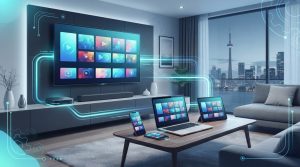
The biggest issues usually show up when we expect all devices to perform the same. But a wired smart TV doesn’t behave like a Wi-Fi-only tablet, just like a gaming laptop won’t handle streams the way a small phone does. When people understand those differences, it makes watching smoother and a whole lot less frustrating.
Ready to Enjoy IPTV beIN Sport on Every Screen?
As the season changes and more people tune in across multiple rooms, taking a little time now can mean fewer interruptions during your favorite games.
Don’t let device glitches or stream freezes ruin your game day. With years of experience perfecting setups across all screens, we know how to keep your viewing smooth and reliable. If lag or pixelation is still an issue with IPTV beIN Sport, reach out to Edge TV Store and we’ll help get your setup performing the way it should.