Smooth HD streaming is not just about how fast your internet is. The IPTV stream player you choose is the engine that actually decodes every frame, handles your apps, and keeps channels switching quickly. If that engine is weak or outdated, you can have fast internet and still deal with freezing, blurry images, or audio that keeps slipping out of sync.
When your player is up to the task, everything feels effortless. Live TV runs with hardly any buffering, sports look sharp and fluid, movies show rich detail, and apps stay stable instead of crashing at the worst moment. At Edge TV Store, we build our IPTV subscriptions and support around a wide range of players and devices, so choosing the right player is how you get every bit of quality out of your service.
In this guide, we will walk through what matters most in an IPTV stream player, from hardware power and network stability to picture, sound, and the app experience. By the end, you will know what to look for, what you can safely skip, and how to match a player to the way you actually watch TV.
Core Performance Features You Should Never Compromise
When you hit play on a Full HD or 4K stream, your player has a lot of work to do in the background. It has to decode a constant flow of video and audio, keep your apps responsive, and handle channel changes without stuttering. That is where hardware comes in.
The processor, memory, and graphics chip are the heart of any IPTV stream player. A stronger CPU keeps menus snappy and reduces lag when you switch channels or launch apps. Enough RAM helps prevent slowdowns when you have multiple apps open. A capable GPU handles high-resolution video, especially fast motion scenes in live sports or action movies, without tearing or jagged edges.
Modern codec support is just as important. A good player should handle formats like H.264 and H.265 (also known as HEVC). These codecs can deliver high quality video with less bandwidth, which means smoother playback on the same internet connection. With the right codecs, you can watch higher resolutions and better quality streams, even if your internet is not perfect.
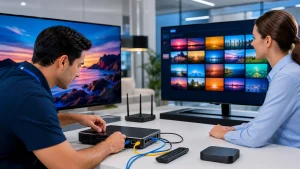
Network stability is the other half of the performance story. Ethernet connections are generally the most reliable for Full HD streaming, especially if your player sits near your router. A wired connection cuts down on interference and keeps speeds more consistent. If you prefer Wi‑Fi, look for players with dual‑band support so you can use the 5 GHz band, which is usually less crowded and better for streaming. Newer Wi‑Fi standards like Wi‑Fi 6 can also help handle busy home networks with many devices.
A strong IPTV stream player manages variable internet speeds with features like adaptive streaming, which automatically adjusts quality to keep playback stable. It also helps to plan your setup around your router. Shorter distances, fewer walls between devices, and avoiding metal cabinets all improve your signal and reduce buffering.
Visual and Audio Quality Settings That Transform Movie Night
Once the basics are handled, the right visual settings can make your favorite shows and movies look far better. Resolution is the starting point. If you have a 4K TV, you want a player that supports 4K output so you are not wasting your screen’s potential. If your TV is Full HD, a player that handles 1080p cleanly and consistently is more than enough.
Useful picture options include HDR support, which helps brighten highlights and deepen dark areas when paired with HDR‑capable TVs and content. Refresh rate matching is another feature to look for, because it lets the player match the frame rate of the content, reducing motion blur and judder. That is especially helpful for fast sports, racing, and action scenes where every frame counts. Controls for aspect ratio and overscan help you avoid stretched images or cut‑off edges.
Sound quality matters just as much as the picture. A solid IPTV stream player should support common surround formats like Dolby or DTS when available, or at least pass those formats through to your receiver or soundbar. Audio passthrough lets your external audio system do the decoding, which can improve clarity and surround effects.
For home theater setups, features like HDMI ARC or eARC support, and proper audio output options, help keep everything in sync. Being able to adjust audio delay is useful if you notice lips not matching voices. When your player, audio system, and IPTV subscription all work together, the experience can feel very close to or even better than traditional cable or satellite sound.
App Experience, Compatibility, and Ease of Use
Even the strongest hardware can feel frustrating if the software experience is clumsy. The operating system and app ecosystem define what you can actually do with your IPTV stream player. Platforms like Android TV and Fire OS are popular because they offer a wide range of apps, regular updates, and familiar interfaces. Proprietary systems may be simple, but they sometimes offer fewer IPTV app options.
The key is to make sure your preferred IPTV apps are supported and work well on the platform you choose. Features such as an electronic program guide, or EPG, make live TV viewing feel more organized. At Edge TV Store, we offer guidance on which apps pair best with our subscriptions and provide setup instructions for many common devices so you do not have to guess.
Updates matter more than many people realize. Regular operating system and app updates bring new features, fix bugs, and help keep your data safer. A player that still receives updates is usually a better long-term choice than one that has been abandoned by its maker.
User-friendly controls can make the difference between a player everyone in the house enjoys and one that only the tech-savvy person will touch:
- Clear, simple menus with readable text
- A responsive remote that does not need multiple presses
- Voice search support for quick channel or title searches
- Customizable favorites or watch lists
- Parental controls to keep kids in age-appropriate content
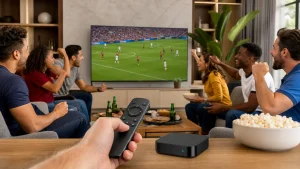
When the interface feels natural, family members of all ages can move from live TV to movies to sports without help.
Practical Buying Checklist: Match Player to Your Streaming Lifestyle
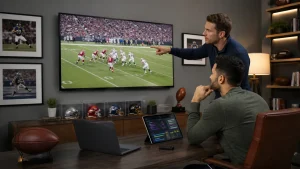
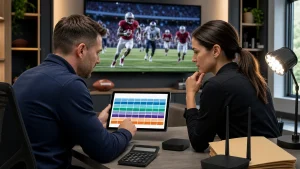
Every household uses IPTV a little differently. That is why the best IPTV stream player is the one that fits your habits, not just the one with the longest spec sheet. Movie lovers might prioritize 4K, HDR, and strong surround sound support. Sports fans tend to care most about motion handling, high frame rates, and fast channel zapping. Families often value simple navigation, profiles, and parental controls.
A handy checklist when you are comparing players includes:
- Storage space for apps, recordings, and downloads
- Bluetooth support for wireless headphones or game controllers
- Number of HDMI ports and other inputs on your TV or receiver
- Portability if you move between rooms or travel often
- Power adapter style and physical size for neat setups
Streaming sticks are compact and easy to move from TV to TV, great for travelers or multi-room use. Larger set-top boxes often offer more ports, better cooling, and more powerful hardware.
Price always plays a role, but the cheapest option is not always the best value. Sometimes spending a little more on a stable, well-supported player saves you a lot of frustration later. Reliable brands with ongoing updates, decent warranties, and active user communities are usually safer choices than unknown options with very few reviews.
At Edge TV Store, we focus on helping subscribers pair our IPTV service with compatible devices and apps that we know work well. Our tutorials, guides, and recommendations aim to help you get full value from your subscription without endless trial and error.
Turn Your Edge TV Subscription Into a True Cinema Experience
When you put it all together, the right IPTV stream player is what unlocks the real quality of your HD and 4K channels, movies, and shows. Strong hardware, stable networking, thoughtful picture and sound options, and a clean app experience all add up to streaming that simply feels better.
A simple way to choose is to start by checking your TV and internet, then decide what you care about most, such as sports, movies, or family viewing. From there, compare a few compatible players that meet those needs, paying attention to performance, network features, and ease of use. With that groundwork and the setup guides and app recommendations we provide at Edge TV Store, you can turn a basic IPTV subscription into something that feels much closer to a personalized home cinema.
Transform Your Viewing Experience With Effortless Streaming
Ready to upgrade how you watch live TV and on-demand content? Get set up in minutes with our step-by-step guide to the IPTV stream player so you can enjoy a smooth, high-quality streaming experience right away. At Edge TV Store, we make it simple to connect your devices and start watching without hassle. If you need help at any point, just contact us for quick, friendly support.